Abstract
This post is the first one of a series where I explain how to build a Linux cluster. The cluster has 6 RapsberryPi 4 Model B 2GB nodes. They are powered over ethernet by a switch.
Background
Back at university, I decided to learn about distributed systems1 by building my own Linux cluster. Then, I started collecting the main pieces:
- Five fans
- One 19" rack
- One ATX power supply
- One switch with at least 8 ports
- Six MicroSD cards of 16GB each
- Six RapsberryPi 4 Model B with 2GB of RAM
I 3D printed the cluster, which is the Raspberry Pi Server Mark III case.
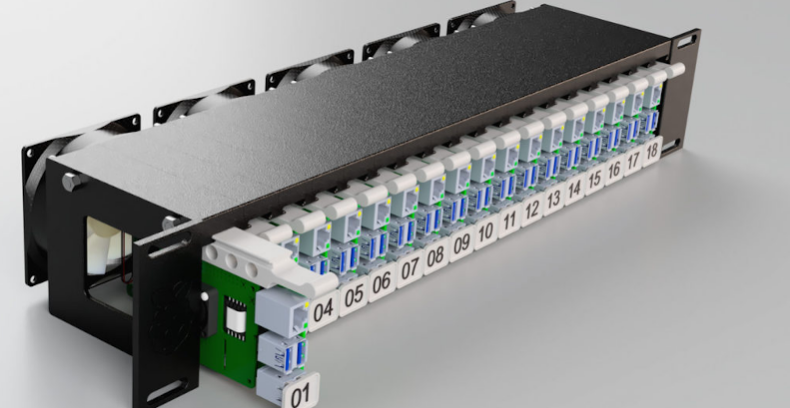
However, despite having all pieces, I never assembled it. The reason was that I wasn’t comforatble powering the whole thing using an ATX power supply. It just didn’t feel secure.
Eventualy, I abanoned the project.
Nowadays
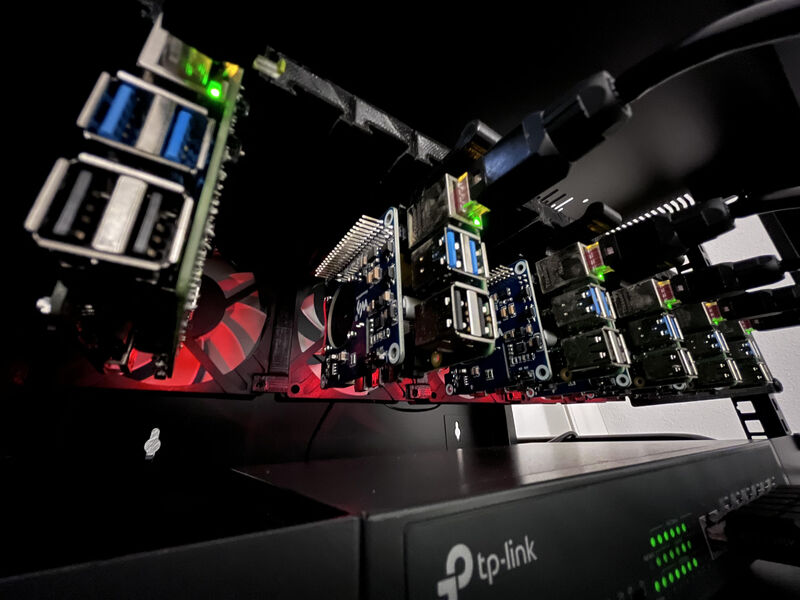
In October 2026, I jumped back to the cluster. With some savings, I acquired six power over ethernet hats for the nodes together with a new switch that supported this technology.
The result is a clean and secure setup, with just 6 ethernet cables and a single power cable comming out of the switch.
Specs
The cluster has six nodes with the following hardware:
| Component | Specification |
|---|---|
| Nodes | 6 Raspberry Pi 4 Model B boards |
| Memory | 2 GB per node, 12 GB total |
| Storage | 16 GB microSD per node, 96 GB total |
| Power | 6 Power over Ethernet (PoE) HATs and one PoE switch |
| Network | 6 Ethernet cables connecting the nodes to the switch |
| Enclosure | 3D-printed Raspberry Pi Server Mark III case |
Next steps
The goal now is to install Raspberry Pi OS Lite into each node. For this purpose, I’ll create a shell script that automates this process as much as possible.
The next post will cover this step and make sure that all nodes are reachable from the main node, which is my personal work station.
A distributed system is a collection of independent computers (called nodes) that communicate and coordinate over a network to look and act like a single, unified program to the end user ↩︎